Service Lane OS
Digital multipoint inspection (MPI) software. From findings to approvals.
1,000+ dealerships run on Kimoby.
The multipoint inspection is where the whole repair order starts.
Digital Inspection is the front of Service Lane OS. The findings feed the video the customer watches and the estimate they approve, and it all stays tied to the same repair order. One workflow from the lift to the approved work, not three apps and a stapled form. Available on the Pro tier.
From the lift to the yes
Here is how a digital inspection runs in your service lane.
Tech completes the inspection
Scan the VIN to open the inspection, mark each item green, yellow, or red, and attach a photo or video to the findings that matter.
Advisor and parts are notified
The advisor sees the inspection summary and the video, and turns the red and yellow findings into estimate lines in one click.
Recommendations are sent
The inspection, photos, video, and estimate go to the customer in one text link, while the car is still in the bay.
Customer approves
They approve or decline each line from their phone, everyone on the RO is notified, and the work can start right away.
Everything the inspection (MPI) needs to sell the work
Proof on every finding, on every car, in one app.
Customizable templates
Build templates with your own items, green, yellow, and red status, and measurements for tread depth, brake pads, and battery health.
Photos and video on each finding
Attach proof to the item so the customer sees exactly what the tech saw. When they see it, they approve it.
Findings become estimate lines
Turn a red or yellow finding into an estimate line in one click, built on your OpCodes. No re-typing the job.
VIN scanning
Scan the VIN to pull the RO and start the inspection in seconds, tied to the right vehicle and customer.
Everything tied to the RO
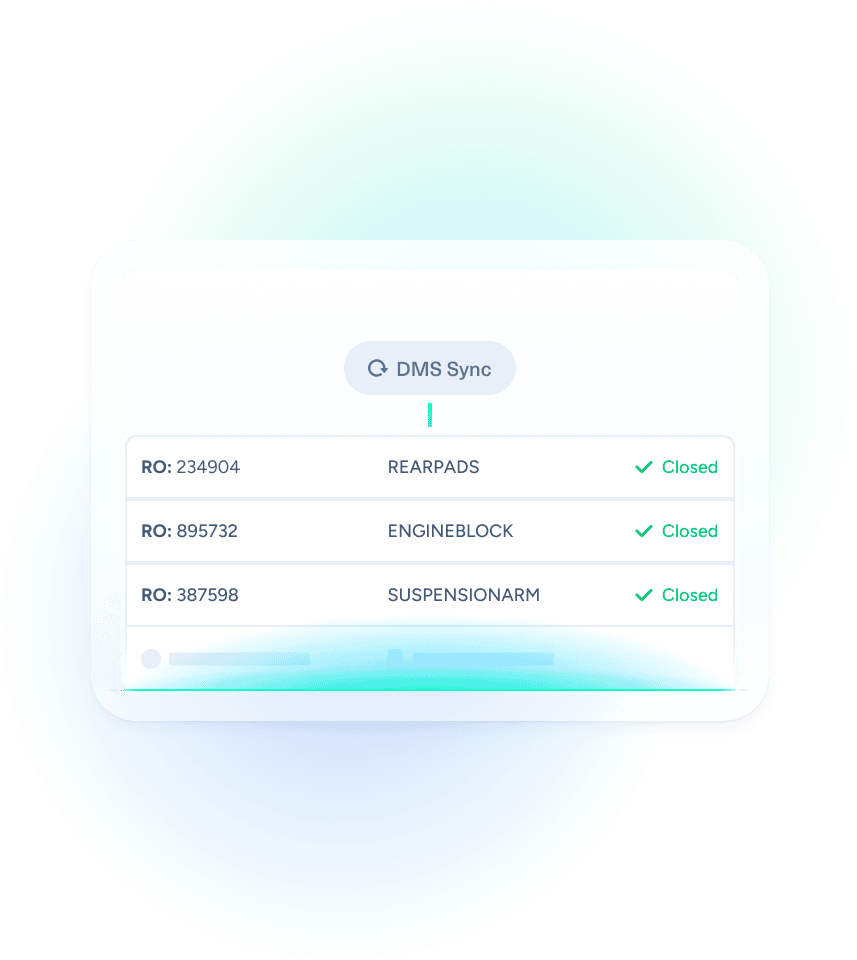
The inspection, photos, video, and estimate all sync to the repair order, so techs, advisors, and parts work in one place.
Consistent recommendations
Every finding reaches the customer, every time, instead of an advisor picking and choosing what to present.
Declined-work tracking
Declined recommendations are saved to the customer profile, so you can follow up and recapture the revenue later.
Digital approve and decline
The customer approves or declines each line from their phone. No phone tag, no paper to lose.
One app, on any device
Inspection, video, estimate, and messaging in one platform, on mobile or desktop, so your team actually uses it.
Paper, PDFs, and three apps vs one workflow
Before Kimoby
- ✕ Paper forms stapled to the invoice, with no proof to build trust
- ✕ Static PDFs, so approving one item and declining another means a phone call
- ✕ Three apps to finish one car, so techs avoid using it
- ✕ Advisors decide what to present, so findings get dropped
- ✕ Declined work disappears, and the revenue with it
With Kimoby
- ✓ Photos and video on every finding, so the customer trusts it
- ✓ Line-by-line approval from the phone, no phone tag
- ✓ One app for inspection, video, estimate, and messaging
- ✓ Every finding reaches the customer, every time
- ✓ Declined work saved to the profile for follow-up
Built on your OpCodes, tied to the RO
Every estimate line is built on an OpCode, the same operation codes your team already uses. Pricing, pay type, and flat-rate time line up with your rulebook, so a Kimoby line looks like what you see in the DMS, just easier to build and explain.
- ✓ OpCode, description, labor type, flat-rate time, and parts on every line
- ✓ Import your OpCodes and parts pricing so quotes match your playbook
- ✓ On CDK, payments write back to the RO
- ✓ No rebuilding the same job twice
Kimoby is so intuitive, there is almost no learning curve. I have employees with little to no computer experience, and they were able to grasp everything in no time.
 Brian Maguire
Fixed Operations Manager, Porsche Centre Langley
Brian Maguire
Fixed Operations Manager, Porsche Centre Langley
Choose the right inspection package
Kimoby's Service Lane OS is available in two tiers. Digital Inspections and OpCode-driven estimates are only available on the Pro plan.
Service Lane OS Essential
Digital estimates, approved by text.
- Improved estimate builder with 3Cs, parts, labor, and hidden lines.
- Pre-approved work pulled from your DMS (where supported).
- Line-by-line digital approval via text.
- Inspection templates and findings are on Pro.
Service Lane OS Pro
MPI, video, and estimates in one workflow.
- Full digital MPI with templates and color-coded findings.
- Inspection findings → estimate lines (ASRs) in one click.
- OpCode & parts spreadsheet import for accurate pricing.
- DMS writeback of payments to the RO on CDK.
- Video-to-Customer (V2C) tightly linked to inspection items and lines.
- AI Video Coaching BETA to have every video scored and improved with frame-level recommendations.
- More AI features on the roadmap for estimate suggestions and explanations.
See an inspection turn into approved work.
Book a demo and we'll walk you through an inspection going out and getting approved, using your own OpCodes and workflow.
What is a digital vehicle inspection?
A digital vehicle inspection is a multipoint inspection (MPI) your tech runs from a phone or tablet, with a photo or video on every finding.
With Kimoby, every red and yellow item becomes an estimate line the customer approves by text, while the car is still on the lift. The lines are built on your OpCodes, so pricing follows your DMS rulebook.
Digital inspection is on the Service Lane OS Pro plan. Approved work lines don’t write back to your DMS yet. That’s in development. On CDK, payments already write back to the RO.
How an inspection runs on it
- The tech scans the VIN and opens your inspection template.
- They mark each item green, yellow or red and attach photos or video.
- The advisor turns a red or yellow finding into an estimate line in one click.
- The customer gets the estimate by text and approves it line by line.
- Everything stays tied to the repair order.
Frequently asked questions
What is Kimoby Digital Inspection?
Digital Inspection is a multipoint inspection (MPI) your technician runs from a phone or tablet. They scan the VIN, mark each item green, yellow, or red, and attach photos or video to the findings. The findings become estimate lines the customer approves by text, and everything stays tied to the repair order. It is part of the Service Lane OS Pro tier.
Which plan includes digital inspections?
Full digital inspections, with templates and color-coded findings, are on Service Lane OS Pro, along with findings-to-estimate lines, OpCode and parts import, and Video-to-Customer linked to the inspection. Essential includes the estimate builder and line-by-line approval, but not inspection templates and findings.
Can I customize the inspection template?
Yes. Build templates with your own inspection items, green, yellow, and red status indicators, and measurement fields for things like tread depth, brake pad thickness, and battery health.
How do findings become an estimate?
The advisor turns a red or yellow finding into an estimate line in one click. The line is built on your OpCode, so pricing, pay type, and flat-rate time follow your DMS rulebook. The photos and video from the inspection stay attached to the line.
Does it write back to my DMS?
Not for work lines yet. On CDK, payments write back to the RO automatically, and writing approved lines back is in development. It integrates with CDK, Reynolds and Reynolds, PBS, Tekion, Keyloop Serti, Dealer Vu, and Quorum, and repair orders sync in.
How is this different from Video-to-Customer and Estimates?
The inspection is the starting point: it is where the tech records what the car needs. Video-to-Customer is the clip that shows the customer the problem, and Digital Estimates is the quote they approve. On Kimoby they are one workflow, the finding carries its video into the estimate line the customer taps to approve.