Kimoby vs Xtime
Replace Xtime, or run Kimoby
next to it?
Xtime is Cox Automotive's service suite. It's built around the online scheduler, with Engage, Inspect and Invite around it.
With Kimoby, you keep your scheduler and run the rest of the visit in one place: texts, video, estimates, payments and loaners. One thing we don't have yet is an online scheduler. If that's what you need most, Xtime is the stronger pick today.
How is Kimoby different from Xtime?
Built for the visit, not only the booking
Xtime is built around the online scheduler. With Kimoby, your advisors run the visit after check-in from one inbox tied to the RO: texts, video, estimates and payments.
Know the full price
Xtime lists texting and payments as Engage add-ons. With Kimoby, mobile payments are included in Service Lane OS and the pricing is published.
Advisors answer first
Xtime lists a digital voice assistant, powered by Brooke.ai, as a Schedule add-on that books appointments. With Kimoby Voice, your advisors' phones ring first. Voice picks up what they miss and drops the message next to the RO. It doesn't book the appointment yet.
Video tied to the inspection
Xtime offers photos and video through Inspect. With Kimoby, the video is linked to each inspection item and estimate line, and the customer approves from the same text.
Why do service managers run Kimoby next to Xtime?
Innovating with the industry
As the automotive world evolves, Kimoby’s tools evolve with it, keeping pace with your needs.
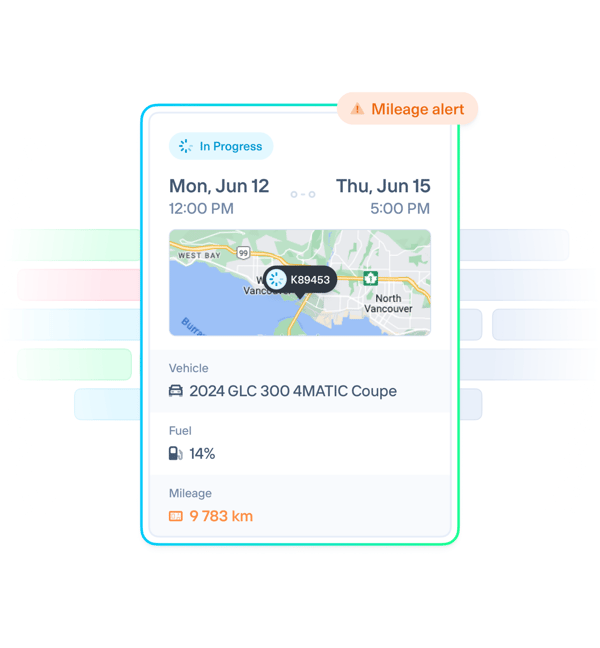
Real simple, real people
Fewer logins, fewer vendors
Revenue-generating interactions
Make your service department a key revenue driver with features that encourage upsells and returning customers.
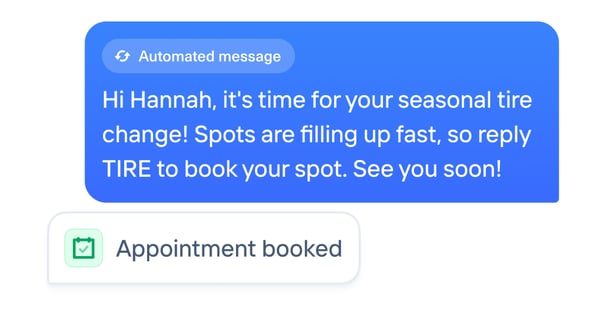
Engaging customer experiences
Wow your customers with clear, timely updates before, during, and after every service visit.
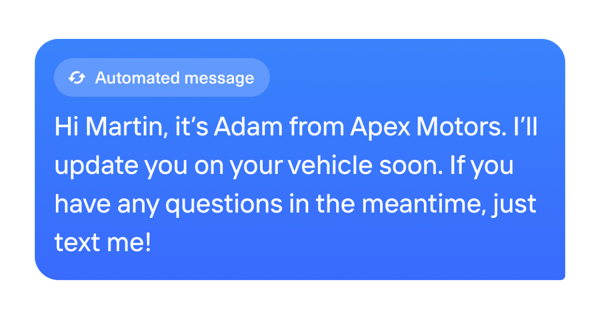
Personalized touch
Give each customer a tailored experience without adding extra work for your team.
“Kimoby makes everything easier. It’s innovative, user-friendly, and designed with dealership needs in mind. You can tell they genuinely want to help us succeed, and that’s what sets them apart.”

Pascal Villeneuve
VP, After sale Operations & GM at Park Avenue

How does Kimoby compare to a scheduler-first service suite?
The right column is what scheduler-first service suites typically offer. Every vendor bundles differently. Ask yours to confirm.
Online appointment scheduler
Tablet check-in and write-up
2-way texting tied to the RO
Appointment confirmation and reminders
Photo and video inspection
Estimate drafted from the tech's video
AI video summaries and background noise removal
Automated service status updates
Translation and AI text improvement
Payment by text and at the counter
Payment written back to the DMS RO
Credit card surcharging and Affirm financing
CSI follow-up with sentiment analysis
Campaigns for declined work and recall
Missed service calls answered by AI
Loaner management with car connectivity
UVeye and Hunter integrations
Month-to-month, price on the website

Fully integrates with your ecosystem
Frequently Asked Questions
How does Kimoby compare to Xtime?
Xtime is built around booking the appointment. Kimoby is built around the visit after that. Xtime's site lists four products: Schedule, Engage, Inspect and Invite. With Kimoby, your advisors text the customer, send the video, get the estimate approved and take the payment from one inbox tied to the RO. We don't have an online scheduler yet, so most stores keep theirs.
Is Kimoby a good Xtime alternative?
Yes for everything after the booking. Not for the booking itself. Kimoby has no online scheduler today. It's on the roadmap. If your OEM program or your group already runs the Xtime scheduler, keep it and run the rest of the visit on Kimoby.
Can Kimoby replace Xtime?
Partly. Kimoby replaces texting, video inspections, estimates, payments and campaigns. It doesn't replace the online scheduler, tablet check-in or the Lyft rideshare add-on Xtime lists. Your write-up stays in your DMS. Most stores keep the scheduler and move the rest.
What does Xtime do that Kimoby doesn't?
Online booking with capacity tools, tablet check-in, rideshare through Lyft, and a voice assistant add-on that books appointments. All four are on Xtime's own site. Kimoby has none of them today. If booking is the main thing you need, Xtime is the stronger pick for that.
What does Kimoby do that Xtime doesn't?
Here's what we couldn't find on Xtime's site: estimates drafted from the tech's video, payment written back to the CDK RO, credit card surcharging, Affirm on the estimate, CSI surveys with sentiment, and loaners that report themselves back. Xtime does list payments, financing, inspections and marketing, so those aren't the difference.
Can I use Xtime and Kimoby together?
Yes. A lot of stores do. Xtime books the appointment, the appointment lands in your DMS, and Kimoby picks it up from there for the confirmation, the texts, the video, the estimate and the payment. Both work off your DMS, so there's nothing to connect between them.
What if my OEM requires me to use Xtime?
Keep it. Whatever your program requires stays. Run Kimoby next to it for texting, video, estimates, payments, loaners and missed calls. Your advisors use Xtime for the booking and Kimoby for the customer.
Half our group runs Xtime and half runs Kimoby. Does that work?
Yes. Kimoby works the same at every rooftop, whatever scheduler each store books in. Your BDC gets one inbox and one report across the group. The Xtime stores keep booking there, and every store runs the visit on Kimoby.
We already pay for Xtime. Why add another tool?
Fair question. If Xtime already covers what your advisors do after check-in, you don't need us. Look at what you pay for first. Xtime lists texting, payment and multimedia as add-ons. If you pay for those and your advisors still switch between tools, that's where Kimoby fits.
Do you integrate with my DMS?
Yes. Kimoby integrates with CDK (with write-back), Reynolds and Reynolds, PBS, Tekion, DealerTrack, Autosoft, Serti, Dealer Vu, and Quorum. On CDK, payments write back to the RO, and pushing approved work to the RO is in beta.
How much does Kimoby cost?
Pricing is published at kimoby.com/pricing. Month-to-month, no contract. What you see there is what you pay.
Thinking About Making the Switch to Kimoby?
Our team is here to guide you every step of the way to make sure the transition is easy and stress-free.
- Seamless integration with all major DMS
- In-person onboarding and training available
- 24/7 support whenever you need it
- Dedicated Account Manager to support your dealership’s success
Xtime and Cox Automotive are trademarks of their respective owners. Kimoby is not affiliated with Xtime or Cox Automotive. Descriptions of Xtime reflect xtime.com as of November 2026.

Some of our 1000+ customers