<img height="1" width="1" style="display:none" src="https://www.facebook.com/tr?id=160502848039072&amp;ev=PageView&amp;noscript=1">

Service Lane OS

All-in-one service lane software. From drop-off to pickup.

The Service Lane OS runs every repair order on one screen: texts, video inspections, estimates, approvals, and payments, all synced to your DMS. Your advisors stop toggling between six tools and a personal phone, and your customers stop hearing silence.

Book a demo

Runs on top of your DMS

One screen for the whole repair order.

The OS sits on top of your DMS and unifies every touchpoint from drop-off to pickup. The advisor works one screen. The customer gets a modern, mobile experience. And when the work is approved, it writes back to your DMS. No new system of record, nothing to rip out.

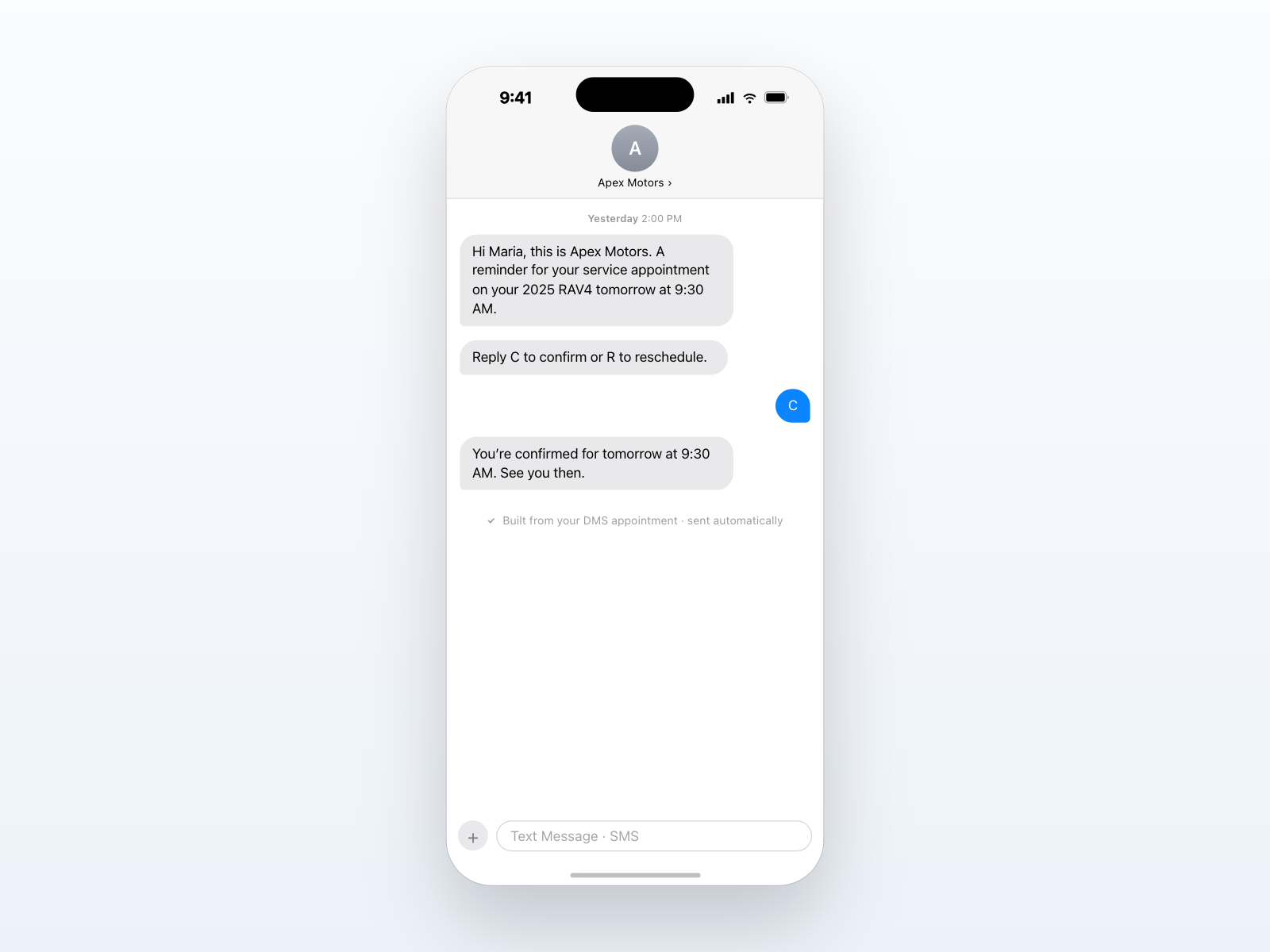
The appointment reminder texts itself.

Kimoby reads the appointment straight from your DMS and texts the customer to confirm or reschedule. No list to build, no calls to make. Pulled from your DMS. Fewer no-shows.

What your customer sees slos-01-reminder
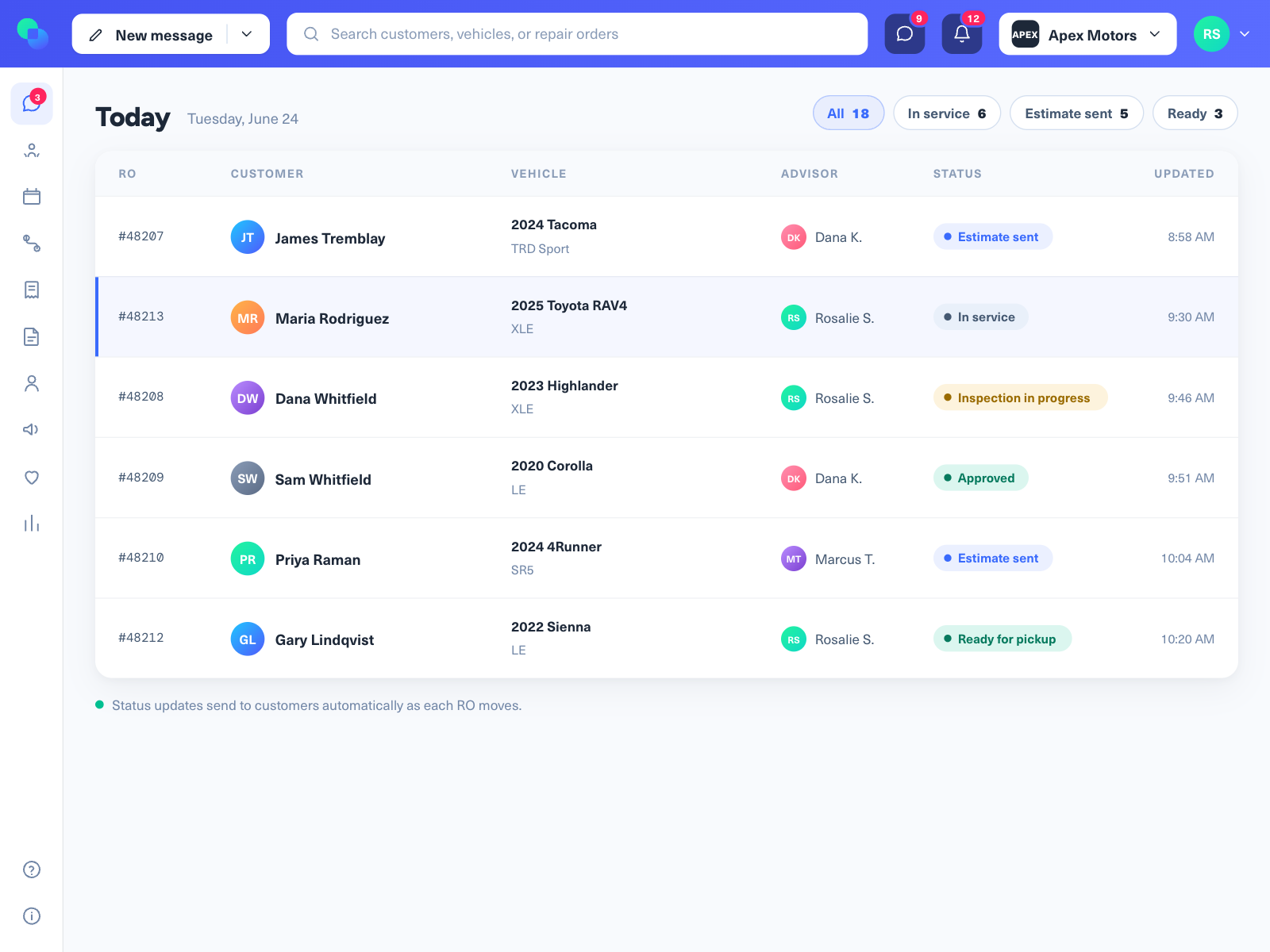
One screen for every RO.

The advisor opens Kimoby and sees every customer, every car, every status. No six tabs, no personal phone.

Advisor view slos-02-dashboard
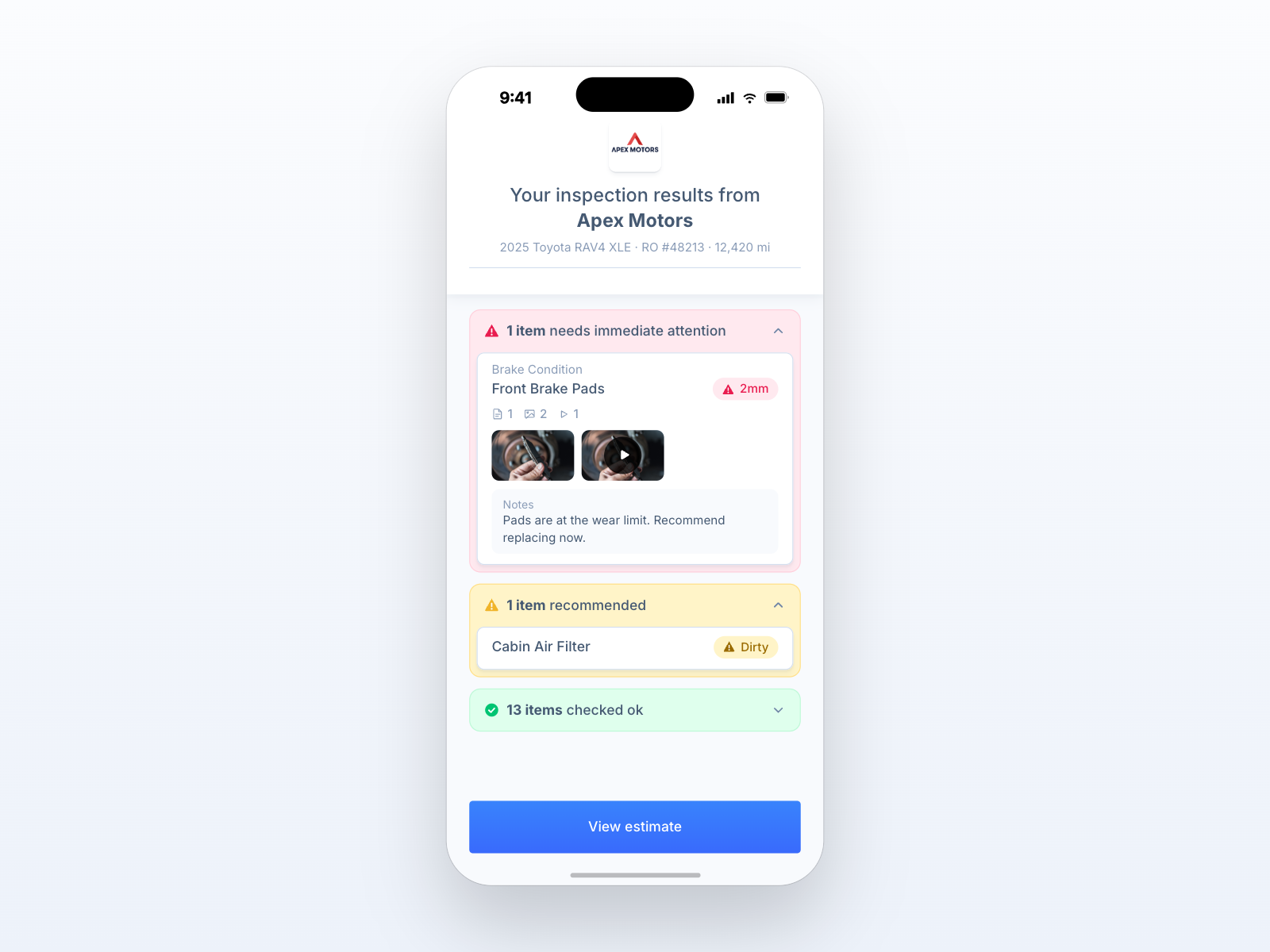
The customer sees the problem.

The tech attaches a photo and a 30-second video right to the finding. The customer watches the worn brake on their phone.

What your customer sees slos-03-inspection
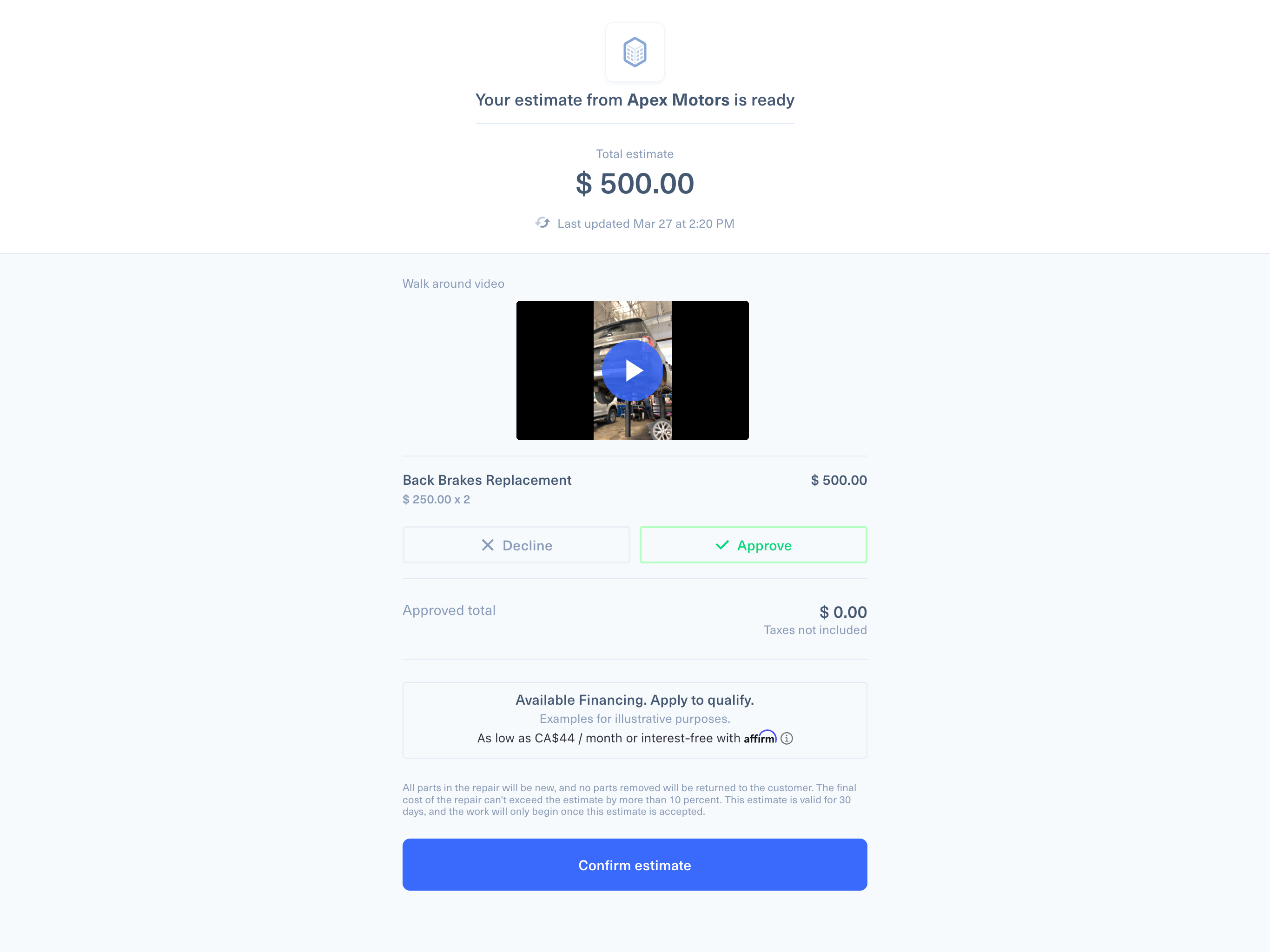
Approved from their phone.

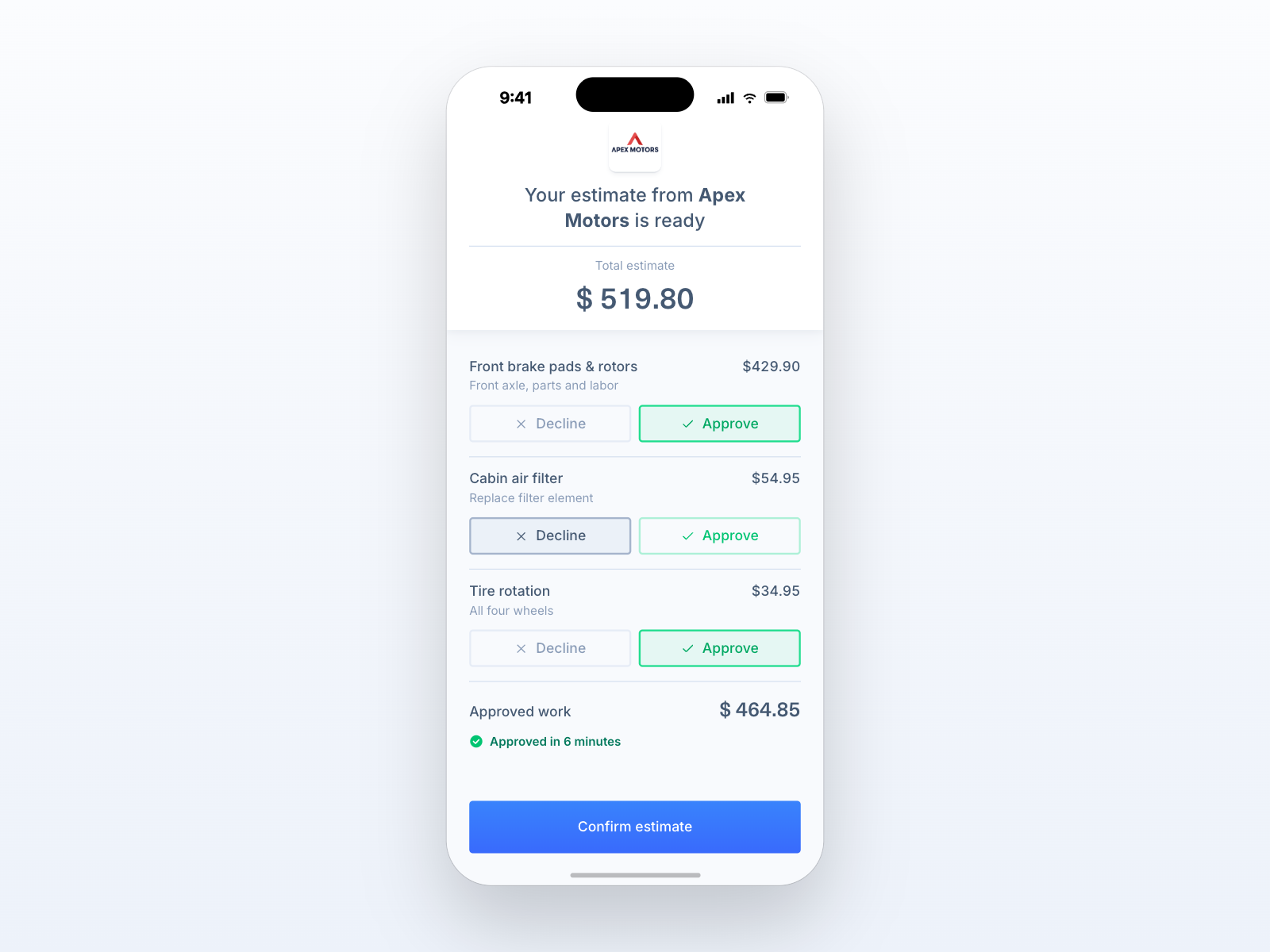
The estimate goes by text, line by line. They tap yes on the brakes, no on the wipers, and the tech gets the green light.

What your customer sees slos-04-estimate
Paid before pickup.

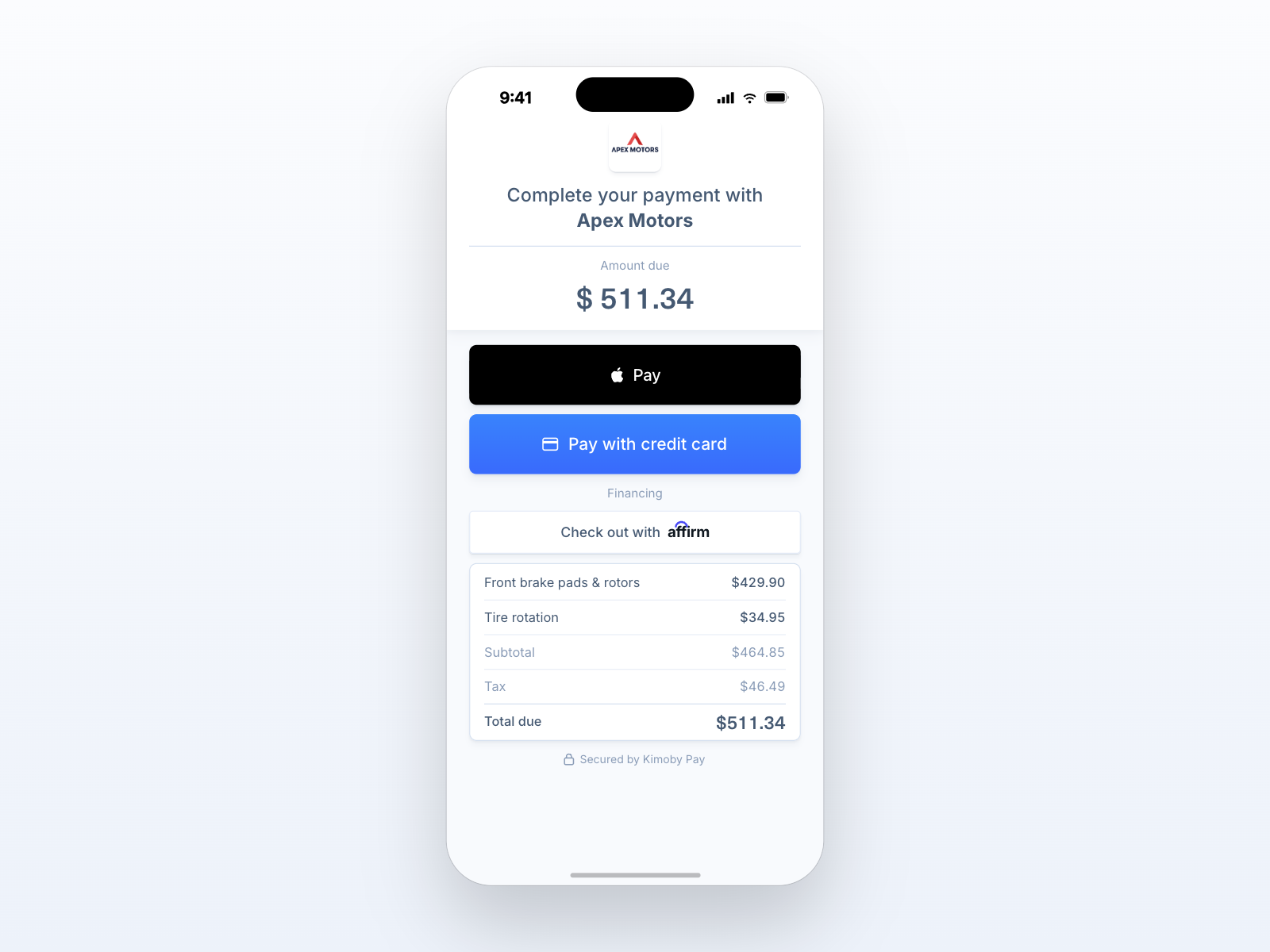
Card, Apple Pay, Google Pay, or financing for the big jobs, right in the same thread. No counter line.

What your customer sees slos-05-payment
Posts back to your DMS.

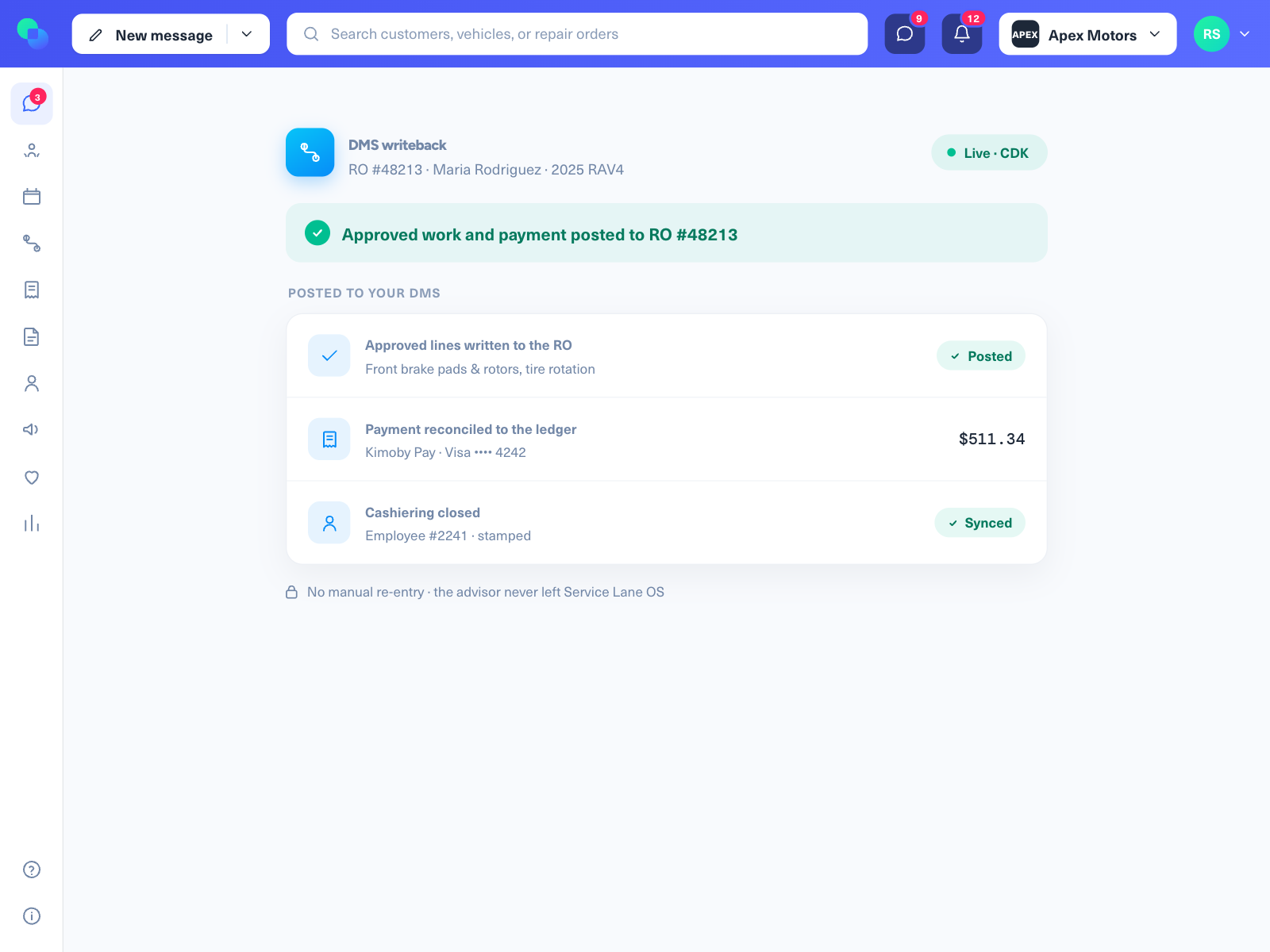
The approved work and the payment land on the right RO. Nobody retypes a thing, and your DMS stays your DMS.

Advisor view slos-06-writeback
What your customer sees slos-01-reminder
Advisor view slos-02-dashboard
What your customer sees slos-03-inspection
What your customer sees slos-04-estimate
What your customer sees slos-05-payment
Advisor view slos-06-writeback

One screen for all touchpoints.

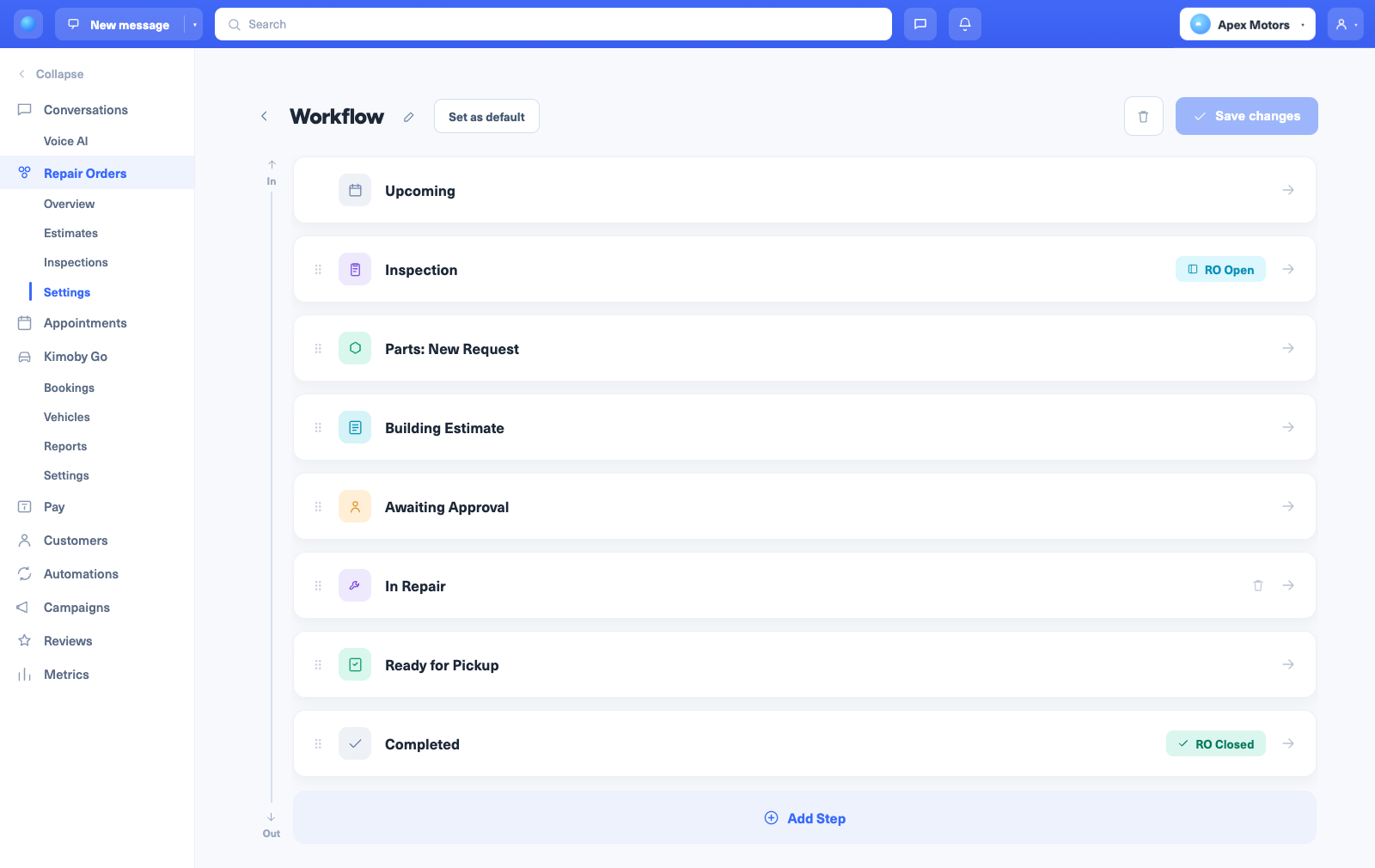
Everything between drop-off and pickup, in one workflow your advisors actually use.

Unified inbox

Every customer, every RO, every text in one place. No personal phones, no switching tabs.

Automated status updates

Drop-off, in progress, ready. The customer stays in the loop without anyone picking up the phone.

Digital estimates

Line-by-line, each with a price and an approve or decline button. Approved from the customer's phone.

Video-to-customer

A 30-second clip of the worn part beats a number read over the phone. Customers approve what they can see.

Digital inspections

Color-coded MPI with photos and video. Findings flow straight into the estimate, no rebuilding from paper.

Mobile payments

Card, Apple Pay, Google Pay, or financing, paid from the same thread. The counter line disappears.

CSI surveys & reviews

A one-tap survey after every visit. Happy customers get pointed to Google, unhappy ones flag the manager first.

Appointment reminders

Confirmations and day-before reminders go out on their own. Fewer no-shows, fuller schedule.

DMS writeback

Approved work and payments post back to the right RO. Your DMS stays the system of record.

The old way vs the Kimoby way

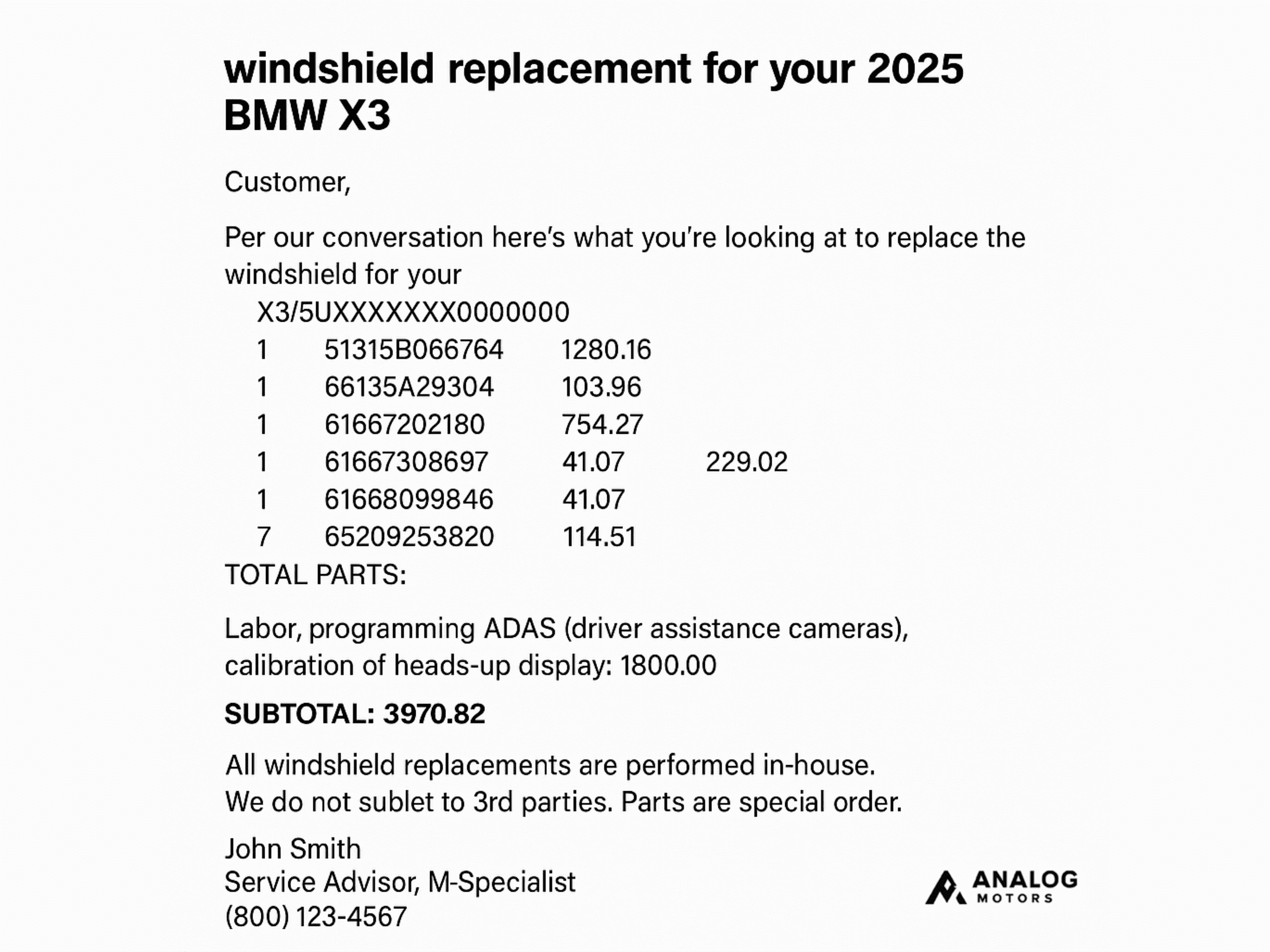
old-invoice
Before
kimoby estimates
With Kimoby

Before Kimoby

  • Six systems and a personal phone for texting
  • Customers hear nothing after drop-off
  • Estimates read over the phone, no context
  • Approvals that take hours of phone tag
  • Pay at the counter, reconcile at end of day

With Kimoby

  • One screen, from drop-off to pickup
  • Automatic status updates, no phone tag
  • Inspections with photos and video
  • Approve line-by-line from the phone
  • Pay from the same thread, writes back to the DMS

Why Service Lane OS changes everything

Service Lane OS isn't another collection of bolted-on modules. It's a unified platform where digital estimates, video, approvals, status updates, and DMS sync work as one system because they were built together from the ground up.

This is what happens when you control the entire workflow, not just individual touchpoints.

Here's how Service Lane OS eliminates the handoffs that kill revenue and frustrate customers

Video-to-Customer (V2C)
Digital Inspection
Digital Estimates

What you get by running your service lane on the OS

Measured across 747 dealerships and 16.5M repair orders.

$452.79

average customer pay on repair orders with a digital conversation, versus $293.12 without. A $160 gap.

Observed across 3.77M conversation-linked ROs. Correlation, not causation.

6 minutes

median time from estimate sent to signed approval. Phone-based approvals run 22 to 23 hours.

Platform data; phone benchmark is industry data.

$628.61

approved inspection value when the customer can see the problem, versus $320.67 when they can't. A 96% gap.

Platform data.

$19.6M
approved through digital estimates in 12 months
Over 65%
of service customers come back within a year
9.8/10
onboarding satisfaction
Prior to Kimoby, the customer experience was such a hassle. We couldn't connect with our customers fast enough. Kimoby has made a huge impact on our bottom line.
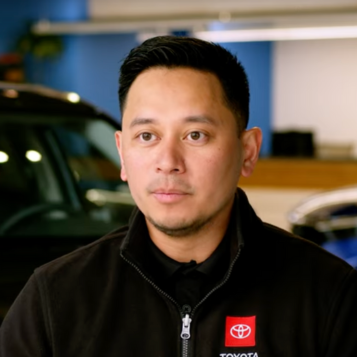
Arvin Merino Arvin Merino Service Director, Honda & Toyota of Seattle

Choose the Right Package

Kimoby's Service Lane OS is available in two tiers. Digital inspection and OpCode-driven estimates are only available on the Pro plan.

Ready To Transform Your Service Lane?

Discover how Kimoby Service Lane OS can revolutionize your service department with modern technology and an unbeatable customer experience.
Request a demo

Frequently asked questions

A Service Lane OS is the software a dealership service department uses to run a repair order from drop-off to pickup in one place: customer texting, digital inspections, estimates with line-by-line approval, mobile payments, status updates, and CSI surveys, all synced to the DMS. It is not a texting tool or a single feature. It is the operating layer the whole service lane runs on. Kimoby is the Service Lane OS.

Your DMS is the system of record. It stores the repair order, the accounting, and the history, and it was built for the back office, not for the live, customer-facing work of the lane. The Service Lane OS runs that live work, the texts, inspections, approvals, and payments, and writes the results back to your DMS when the work is done. You keep your DMS. The OS sits on top and handles what the DMS was never built to do.

One advisor screen with a unified inbox, automated status updates, digital estimates with line-by-line approval, video-to-customer, digital inspections, mobile payments, appointment reminders, CSI surveys and review generation, and DMS writeback. Essential covers the communication and approval workflow; Pro adds digital inspections, video-linked findings, parts pricing from your DMS, and writeback for approved work.

Xtime is best known for scheduling, getting the appointment booked, and many OEMs mandate it for that. Kimoby starts where the appointment ends: running the repair order once the car is in the lane, from drop-off to pickup. A lot of dealerships keep their scheduler and run the in-lane workflow on Kimoby. The clearest way to see the difference is a side-by-side on your own repair orders.

Both work in the service lane, so the right answer depends on what you are trying to fix. Kimoby's focus is one workflow your advisors actually adopt, from texting and inspections through approvals, payments, and DMS writeback, on one screen. The honest way to compare is a demo on your store's workflow, where you can see the day-to-day side by side and decide for yourself.

CDK, Reynolds and Reynolds, PBS, Tekion, Keyloop Serti, Dealer Vu, and Quorum. Repair orders and customer data sync so your advisors work from one screen, and approved work writes back to the DMS.

Yes. Kimoby is an approved provider for several OEM service-lane and communication programs, including the Volkswagen eConnect program, and is an approved GM vendor. OEM program participation varies by brand and region, so confirm your specific brand with our team.

No. Customers get a text and tap a link to see the inspection, approve the estimate, and pay. No app, no portal, no account.

Back to top