6 min
Median time from estimate sent to approval.
Phone tag while the car sits on the lift (industry data).

Most switches don't fail because of the new software. They fail because your team doesn't want to give up its current process, as imperfect as it is. People get used to a way of working and push back when it changes. This guide covers what to sort out before you switch, what to ask vendors, and how to get your team through the first 30 days.
Quick answer: To switch service lane software, keep your DMS, sort out your current contract and texting number before you sign, start with texting and approvals, and name one person who owns the switch. Most switches fail in week two, when the team goes back to the old process. Plan for that week, show each role what they get, and check usage by tech at day 30.
When your advisors spend their day chasing approvals by phone, it's time to look.
None of these is a reason to switch on its own. Two or three together usually are.
Approvals take hours, because the customer has to call back.
Texting, video and payments live in separate tools, and someone copies between them.
Techs still fill out a paper inspection sheet.
You can't see who on your team uses the tool you pay for.
When an advisor leaves, the customer history leaves with them.
Habit. Teams go back to the old process, even when it isn't working.
What goes wrong
A new tool asks people to change, and most won't on their own. In week two, advisors are back on the phone and techs are back on the paper sheet.
What fixes it
Someone has to own the switch and hold the line every day. And each person has to see what they get out of it.
Most of the work happens before the first training day. Go through this list with your current vendor and the new one.
Your current contract
Check the end date and the notice period, so you don't pay for two tools longer than you need to.
Your texting number
Your customers know it. Ask both vendors whether you can keep it, and what happens if you can't.
Your history
Customers, repair orders and appointments live in your DMS, so a new tool can read them again. Old texts, photos and videos live in the old tool. Ask how to export what you need before the contract ends.
Your OEM program
If your brand has a certified program, check that the new tool is on it.
Your go-live date
Stay away from your busiest weeks, like tire season. Your team needs a calm week two.
Your owner
Pick the person who will run the switch before you sign, not after.
Bring these to the demo, with two of your own repair orders. Not the sample ones. They work with any vendor, including us.
Ask what comes over from your DMS, and how far back.
Customers, repair orders and appointments. How far back depends on your DMS, so get the number.
Ask where an approval or decline goes.
It should be linked to the RO, where the advisor and the tech both see it.
Ask to see the tech's side and the customer's side.
Most demos show the advisor's screen. Ask what the tech has to do on a single job. Then have them send a real estimate to your phone, and approve and pay from it.
Ask who you call when it breaks in week two.
Get a name, and ask how fast they pick up.
Ask what it costs on top of the monthly fee.
Ask about the implementation fee and any DMS fees, so nothing surprises you later.
Ask for the report by tech.
If you can't see who's using it, you can't manage it.
Ask what happens to the history when an advisor leaves.
The conversations should stay with the customer, not with the person.
Six steps, from the demo to the day-30 check. Put a name next to each one and share it with your GM.
Use your own repair orders, with a tech and an advisor in the room. If the vendor won't, that tells you something.
With Kimoby, on-site onboarding is two days with our team in your store. Virtual is done online, in live sessions. Name the person who will enforce it before it starts.
Keep writing the RO in your DMS. Show each role what they get: advisors stop chasing callbacks, techs see their video turn into an approved job. At the end of the week, follow one job from the RO to the approval.
This is the week the old habits come back. Check who's logging in and who's sending video. Ask your techs what's slow, and fix that first.
Add video for everyone, then payments if you want them. Put the steps on a whiteboard with a name next to each one.
Look at the report by tech and by advisor. Who's using it, how many ROs got a video, and how fast customers answer.
Show each person what's in it for them, then check every week.
Advisors
Fewer callbacks to chase. The approval comes back by text, on the RO.
Techs
Their video turns into an approved job, instead of a note nobody reads.
Customers
They see what the tech sees and answer from their phone.
Look at usage by tech and by advisor every week. If one bay isn't sending video, you'll know in a week, not in a quarter.
In 6 minutes, at the median. By phone, it takes 22 to 23 hours.
Source: The Cost of Silence, Kimoby, 2026, across 871 dealerships and 16.8 million repair orders. Phone time from industry data.
Why it's worth getting through week two. Across 16.8 million repair orders at 871 dealerships, here's what changes when the approval moves off the phone.
Median time from estimate sent to approval.
Phone tag while the car sits on the lift (industry data).
Of digital estimates approved within one hour of being sent.
Every update and every approval goes through an advisor.
Average customer pay on ROs with one. An observed gap, not a guarantee.
Average customer pay on ROs without a digital conversation.
Your DMS stays the system of record. With Kimoby, you add the system of action on top: texting, video inspections, estimates, approvals and payments, all on the RO.
One thing it doesn't do yet: an online scheduler. It's on the roadmap. If booking is the main thing you need, tell us, and we'll tell you straight whether it's the right fit.
Good to know
Onboarding
Two days on-site, or done online in live sessions.
Contract
Month-to-month, with a dedicated account manager.
OEM programs
BMW Activities Fund, VW eConnect and CMC, GM Canada.
Kimoby has made a huge impact on our bottom line. Prior to Kimoby, the customer experience was such a hassle.
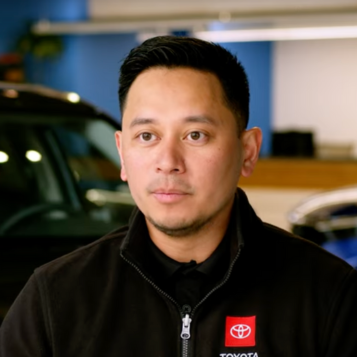 Arvin Merino
Service Manager, Honda & Toyota of Seattle
Arvin Merino
Service Manager, Honda & Toyota of Seattle
Your DMS stays. You add Kimoby on top.
Two days on-site, or fully online. Month-to-month, with your own account manager.
See what changes for your team, side by side.
Watch the 3-minute Service Manager tour, no form, no sales call.
Let's schedule a quick walkthrough built around your needs.
Onboarding is two days on-site, or done entirely online in live sessions. You keep writing repair orders in your DMS, so nothing about the RO changes on day one.
The customer approves or declines each line from their phone. Each approval or decline is linked to the RO, in the conversation your advisor and tech already see.
Your records stay in your DMS. Your customers, repair orders and appointments come into Kimoby from it when you start. How far back it goes depends on your DMS.
Every conversation stays on the customer's thread, next to the RO, for as long as you're on Kimoby. The next advisor opens it and sees what was said.
No. You keep CDK, Reynolds and Reynolds, PBS, Tekion, DealerTrack, Serti, Quorum, Autosoft, Auto/Mate and Dealer Vu.
Yes. One implementation fee covers the DMS installation and training for your team. It also covers your first month. It's listed on kimoby.com/pricing.
No. It's month-to-month, with no long-term contract.
It's built for franchised dealerships first. Independent shops and tire stores on Protractor use it too.
Only for a short overlap, if at all. Two tools means two places to look, and the old one usually wins. Set a cutoff date and stick to it.



The Dealership Engagement System (DES)™ for automotive service departments.
Step 1 of 2
Tell us who you are, then grab a time that works for you.
Dites-nous qui vous êtes, puis choisissez un moment qui vous convient.