Kimoby Go

Rental fleet management software, with every car on a map

Your customer signs the rental agreement on a tablet. While the car is out, it reports its own mileage, fuel and location. When it comes back, the fuel, the tolls and the new scratch go on the card on file, with the photos to back it up.

Running loaners for a service department? See Kimoby Go for loaner fleets.

Book a demo See how it works

Over 108,000 bookings managed on Kimoby Go.

How a rental works on Kimoby Go

Here's one car, out the door and back.
Step 1: Reserve

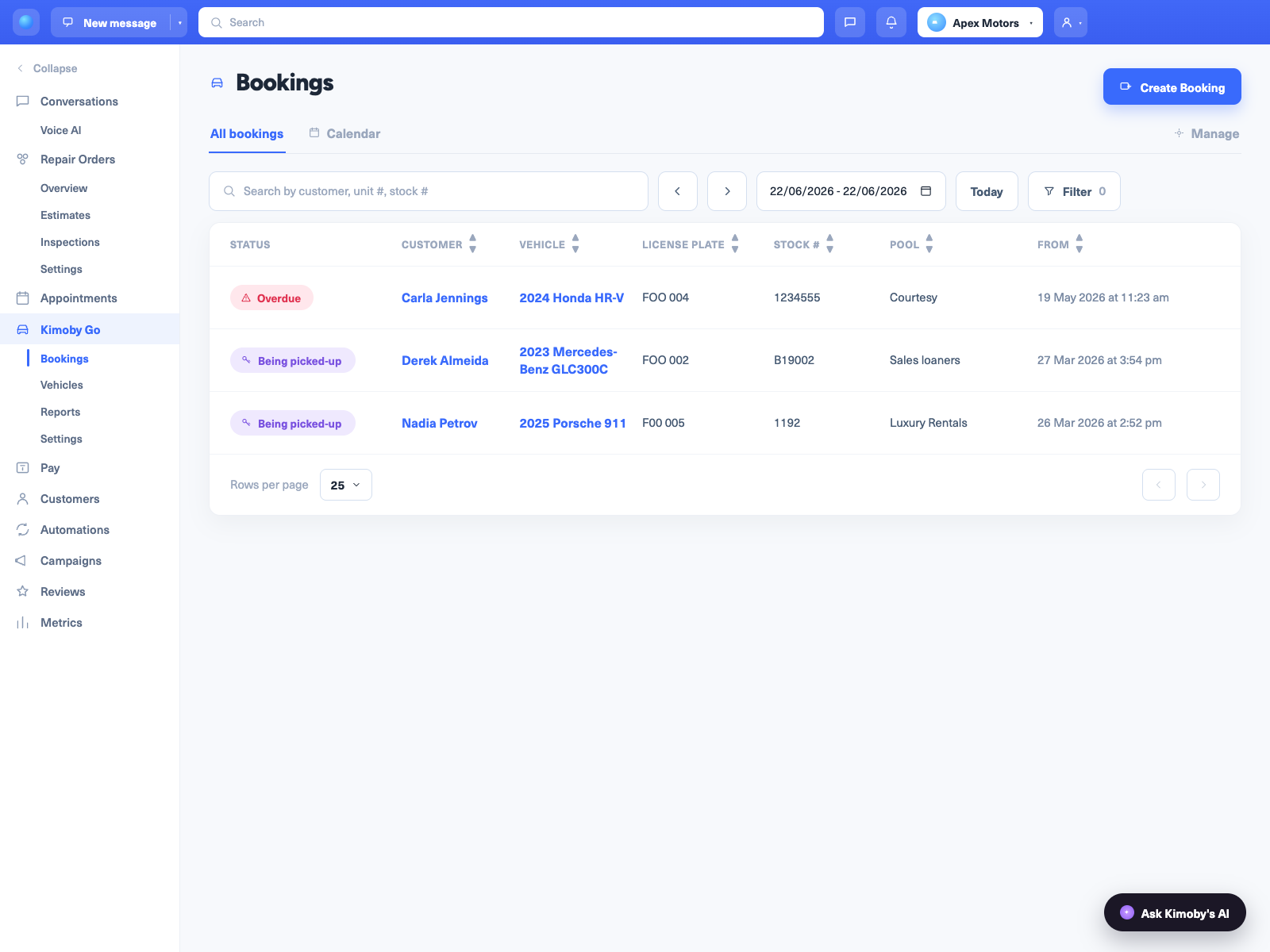
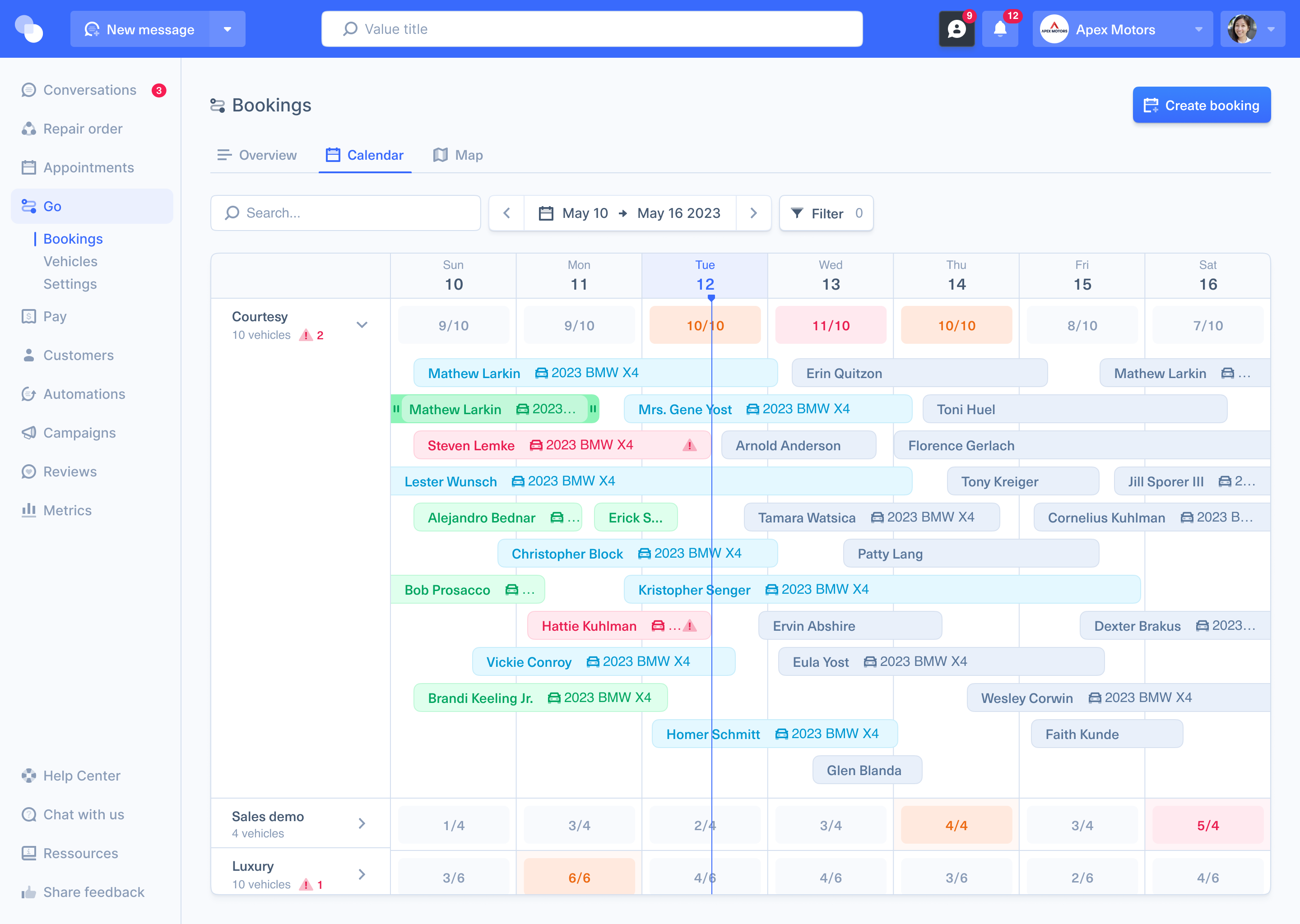
Reservations on one calendar

Pick the dates and a car. Everyone at the counter sees the same calendar, so the same car doesn't get booked twice.

Booked, free and overdue, at a glance.
Kimoby Go reservation calendar for a rental fleet
Step 2: Check out

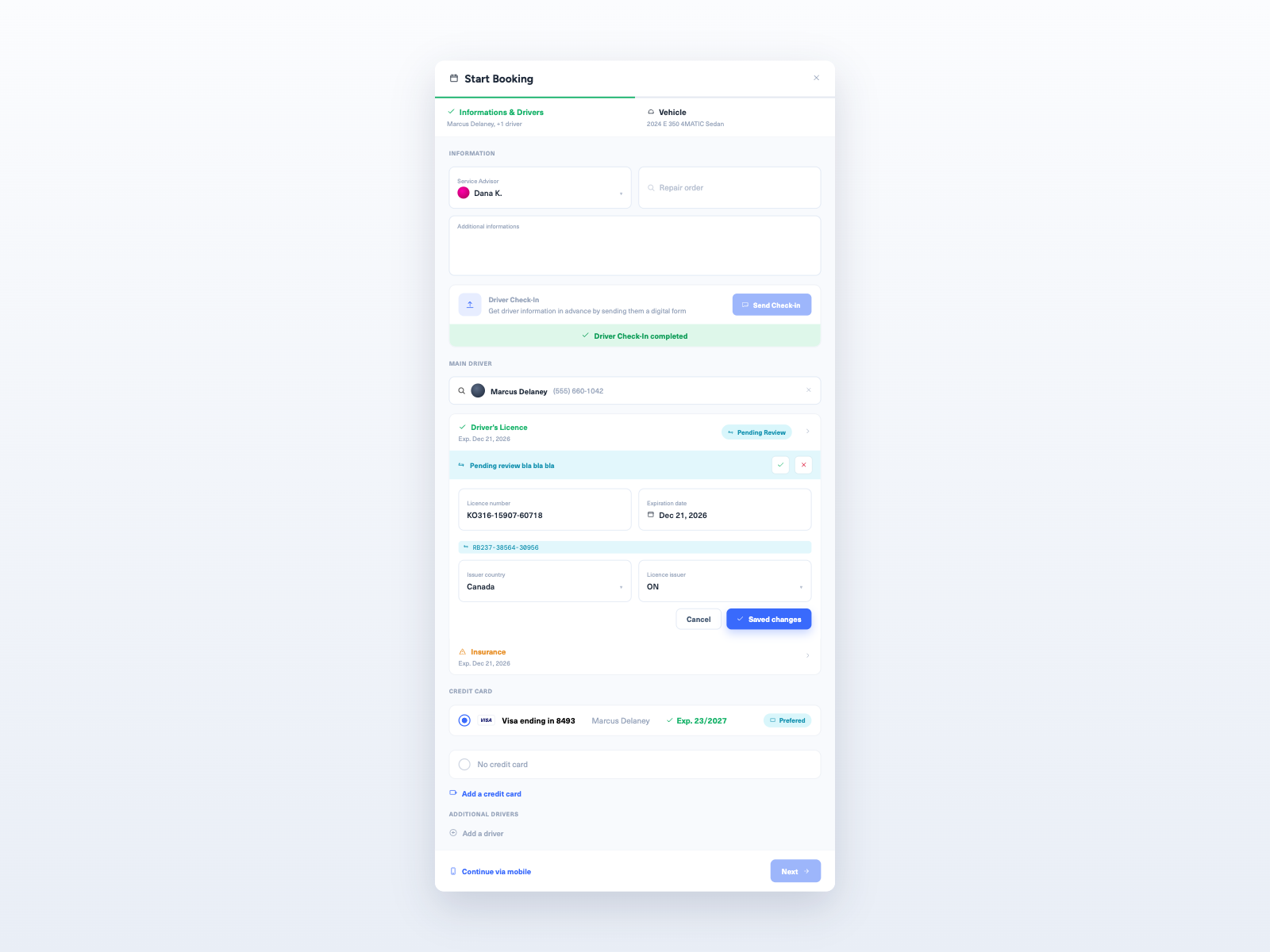
Check-out on a tablet

The customer scans their license and the agreement fills itself. They tick a box to accept the fees and sign. You take a few photos of the car and hand over the keys.

About 5 minutes. On paper, it's 15 to 20.
Digital rental agreement check-out in Kimoby Go
Step 3: Track

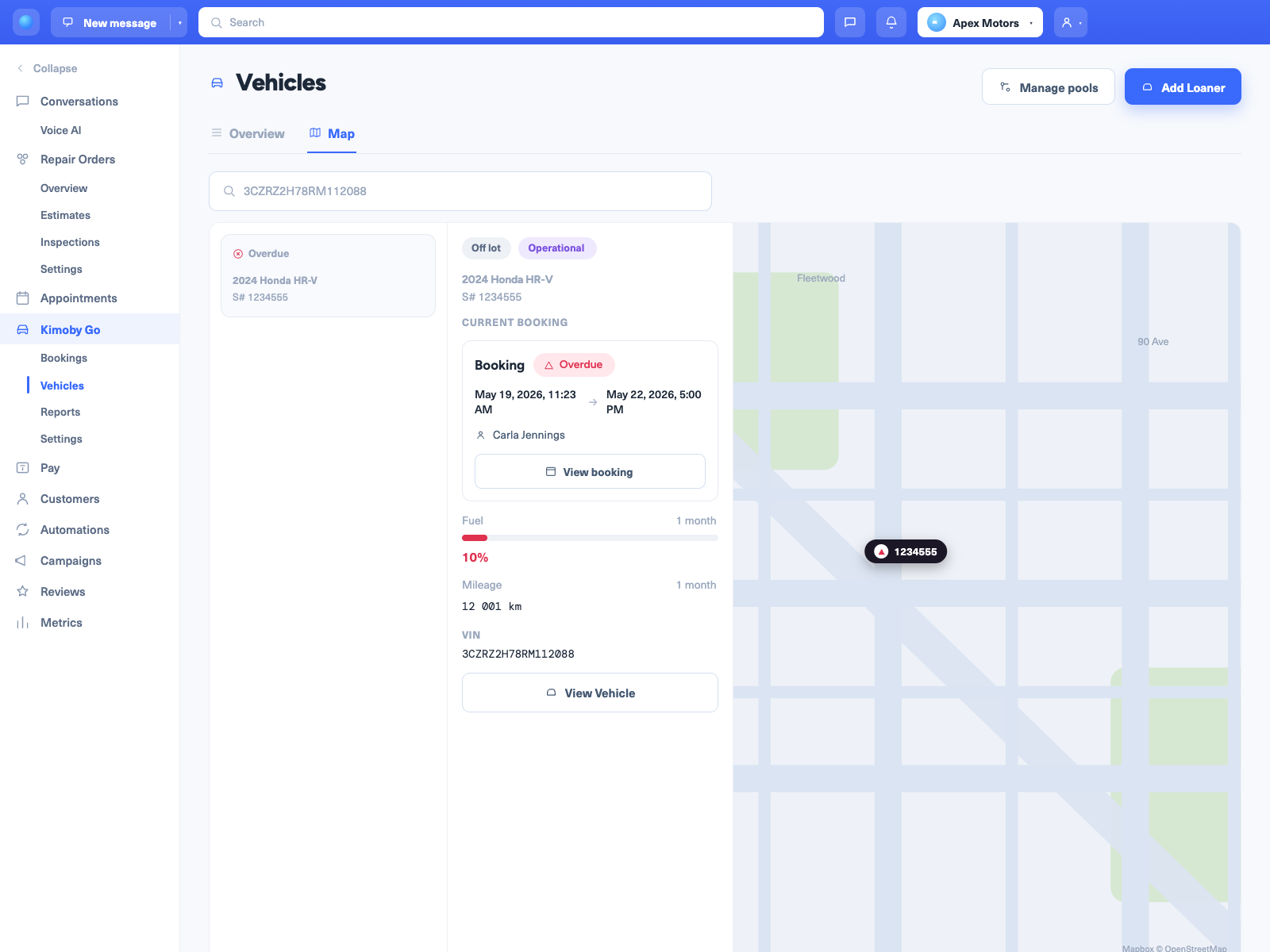
The car reports itself

Mileage, fuel and location come from the car, through the manufacturer's connection or a small OBD2 device you plug in. Nobody has to go read the odometer.

Alert if a car leaves the area you set.
Live map of rental cars in Kimoby Go
Step 4: Return

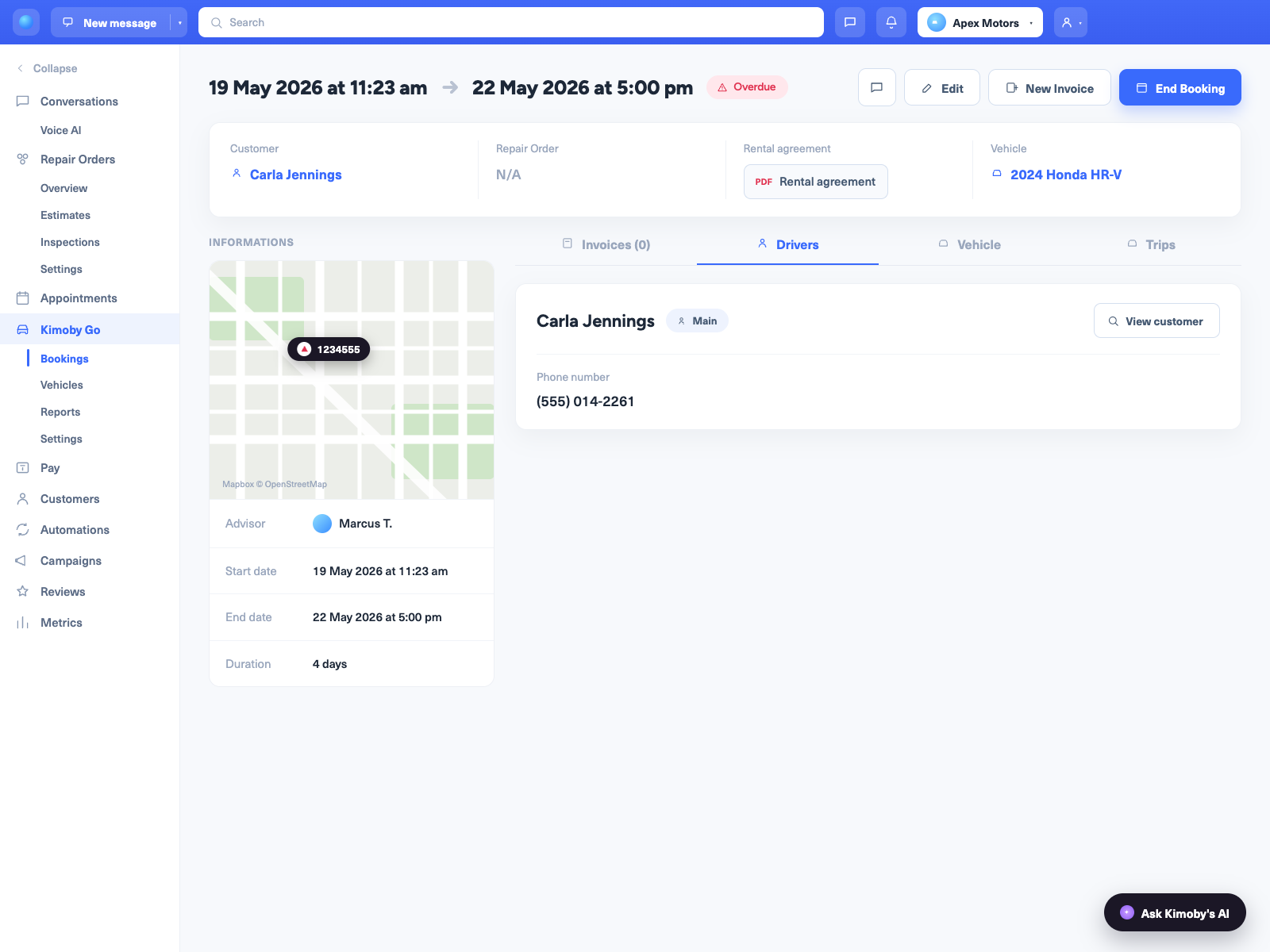
Late returns show up the same day

The return date is on the calendar and the customer gets a reminder before it. If the car isn't back, you see it that day, not at the end of the week.

Photos and timestamps on every booking.
Rental cars due back in Kimoby Go
Step 5: Charge

Fees charged at return

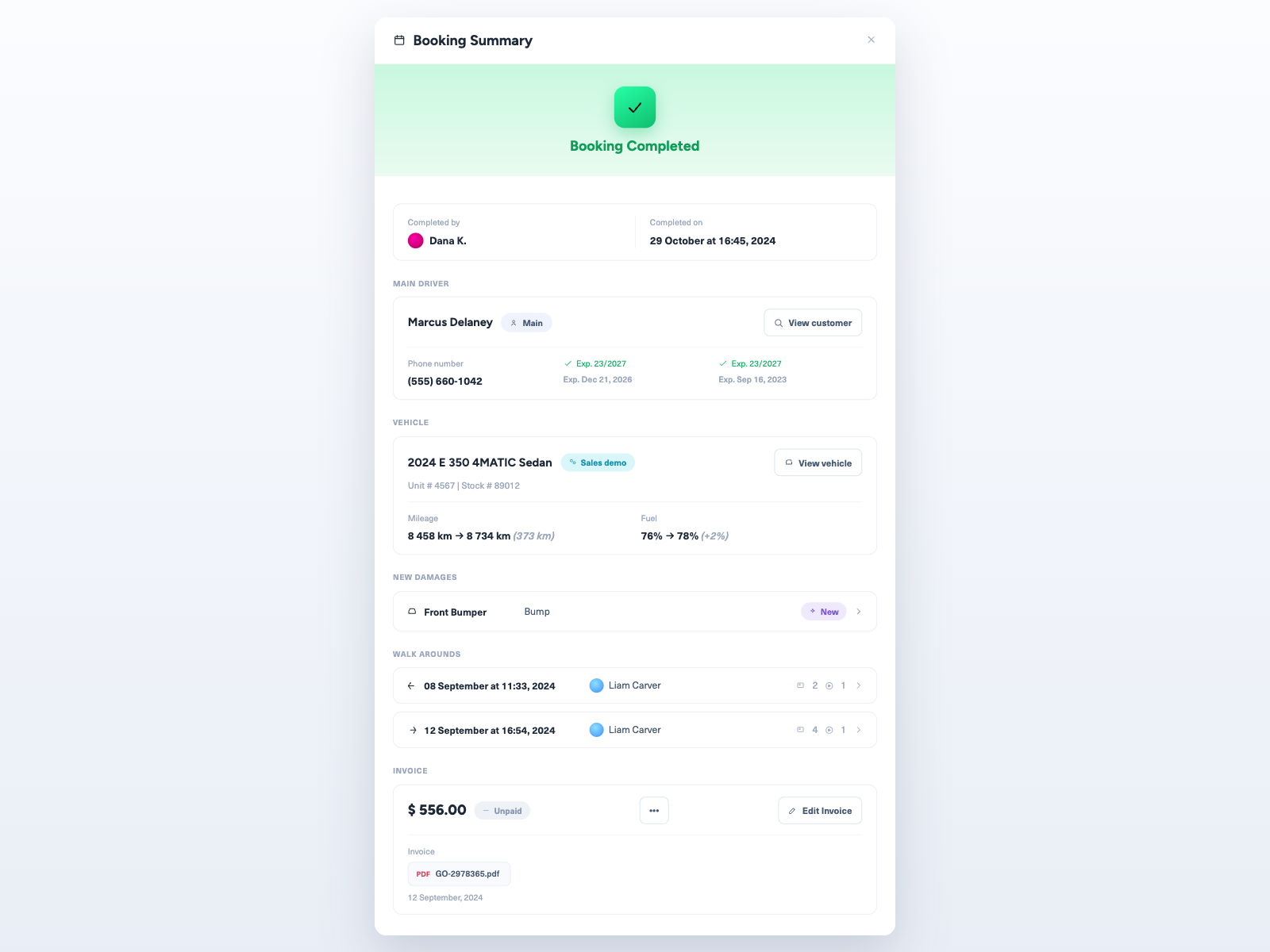
Walk around the car and compare it with the check-out photos. Fuel and mileage are already there. Add the toll, the ticket or the scratch, and it goes on the card on file. The customer gets a receipt.

$688.75 recovered in week one at BMW Policaro.
Fuel, toll and damage fees charged at return in Kimoby Go
Always on: Measure

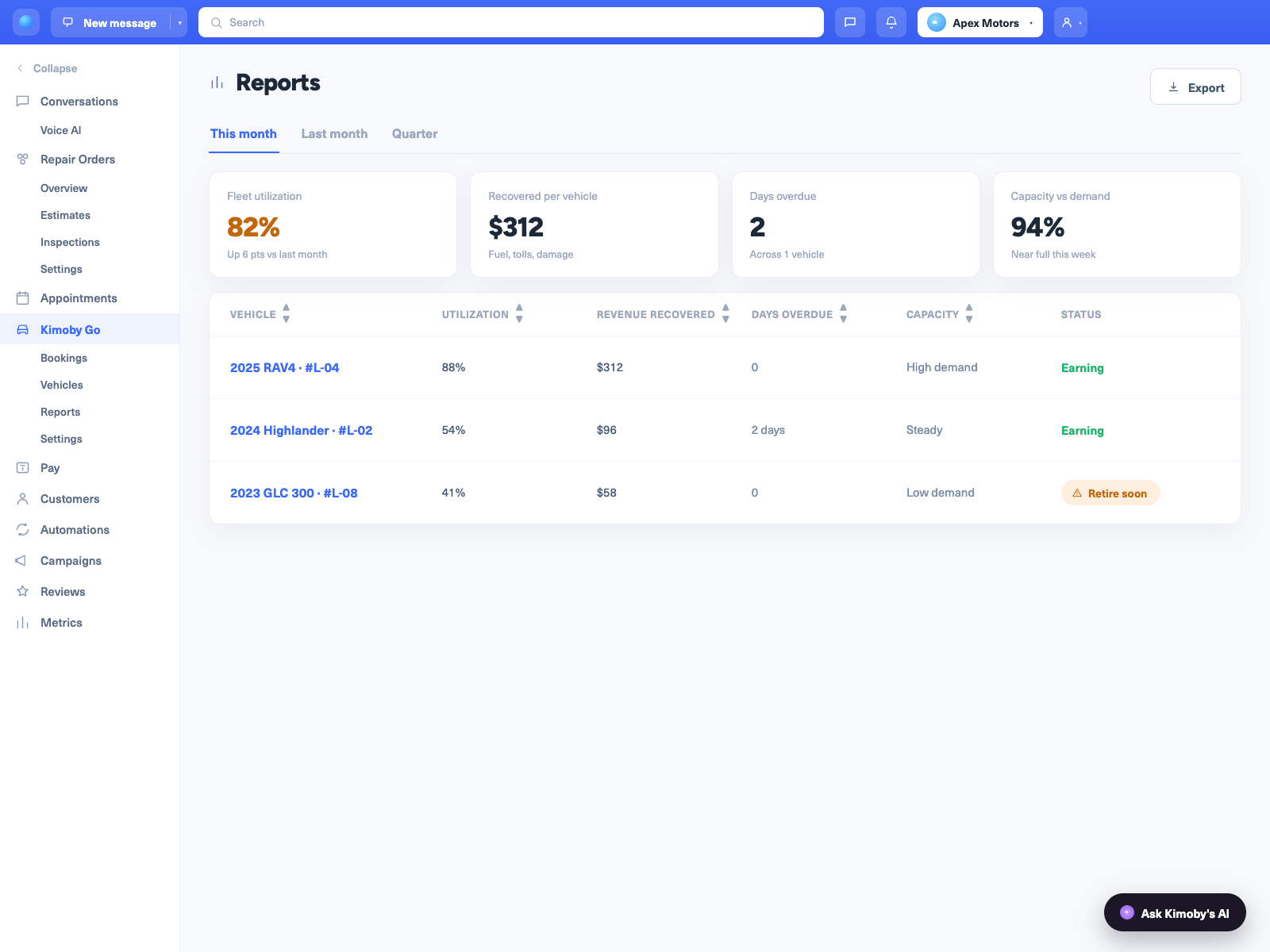
Which cars pay for themselves

Utilization, fees recovered and days overdue for each car. Handy when it's time to sell a few.

One report for the whole fleet.
Rental fleet utilization report in Kimoby Go
Kimoby Go reservation calendar for a rental fleet
Digital rental agreement check-out in Kimoby Go
Live map of rental cars in Kimoby Go
Rental cars due back in Kimoby Go
Fuel, toll and damage fees charged at return in Kimoby Go
Rental fleet utilization report in Kimoby Go

What's in it

Rental agreements

Signed on a tablet or the customer's phone and stored online. English, French or both.

Your logo on it

Your company name, logo and address on the agreement, with your own header and footer.

Fees per vehicle pool

Your compacts and your trucks don't have the same fees. Set them per pool. If one doesn't apply, credit it at check-out.

Mileage and fuel

Read off the car. Nobody writes anything down.

Photos

At check-out and at return. If there's a new scratch, you can show the customer it wasn't there before.

Geofencing

You set the area. If a car leaves it, you get an alert.

Payment by text

The customer gets a link and pays from their phone, with Kimoby Pay.

Trip history

Where each car went, how far and when.

Fleet report

Utilization and fees recovered, car by car.

Reservations without the double-booking

Every reservation sits on one calendar. You see what's out and what's late without walking to the lot.

  • ✓ Booked, free and overdue cars on one screen
  • ✓ Book by date, customer or vehicle pool
  • ✓ Confirmation sent by text or email
  • ✓ Reminder sent before the return date
  • ✓ Customers check in from their phone or a tablet at the counter
Kimoby Go fleet calendar

The old way vs the Kimoby way

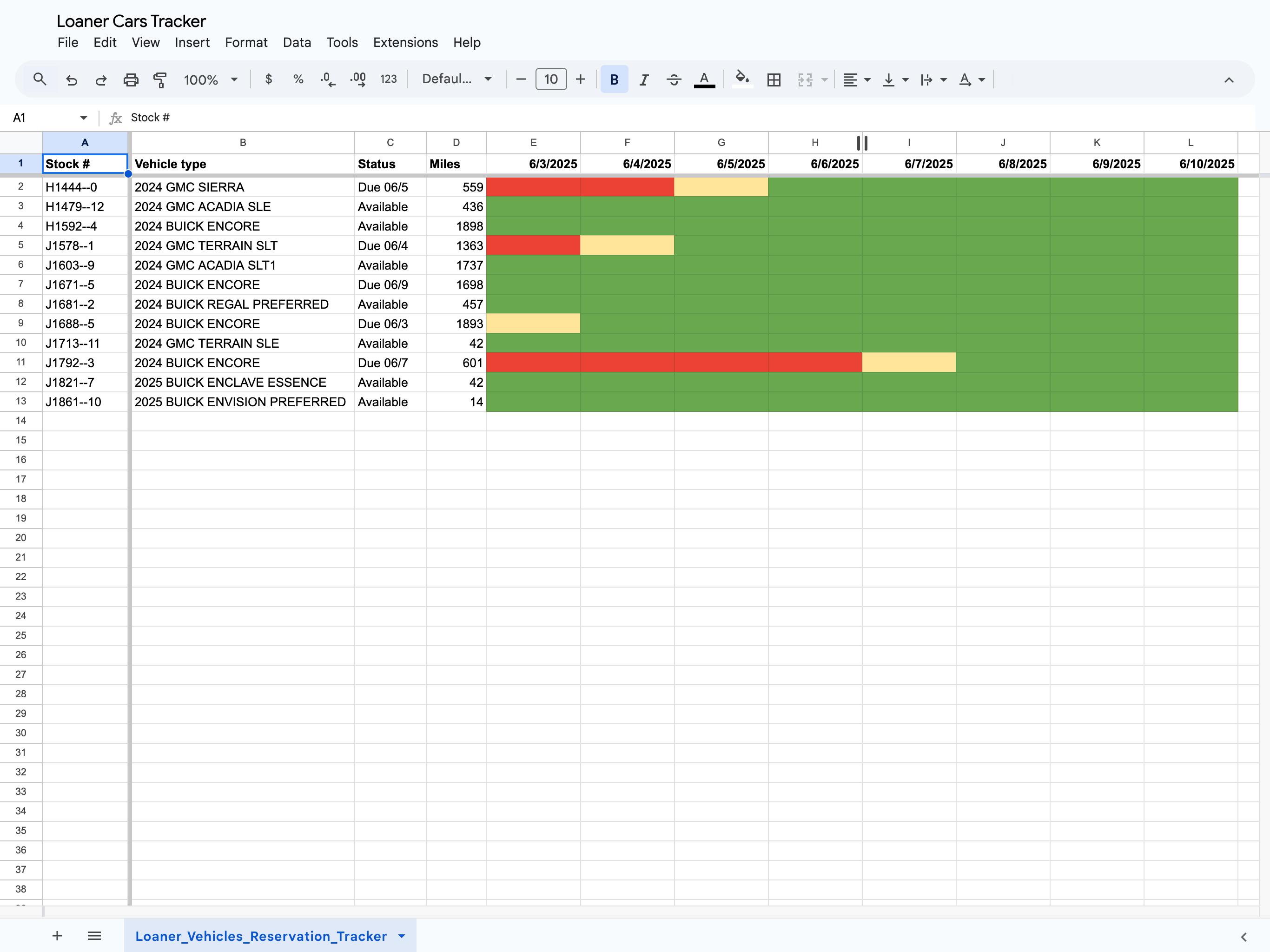
Rental fleet tracked on a spreadsheet
Before
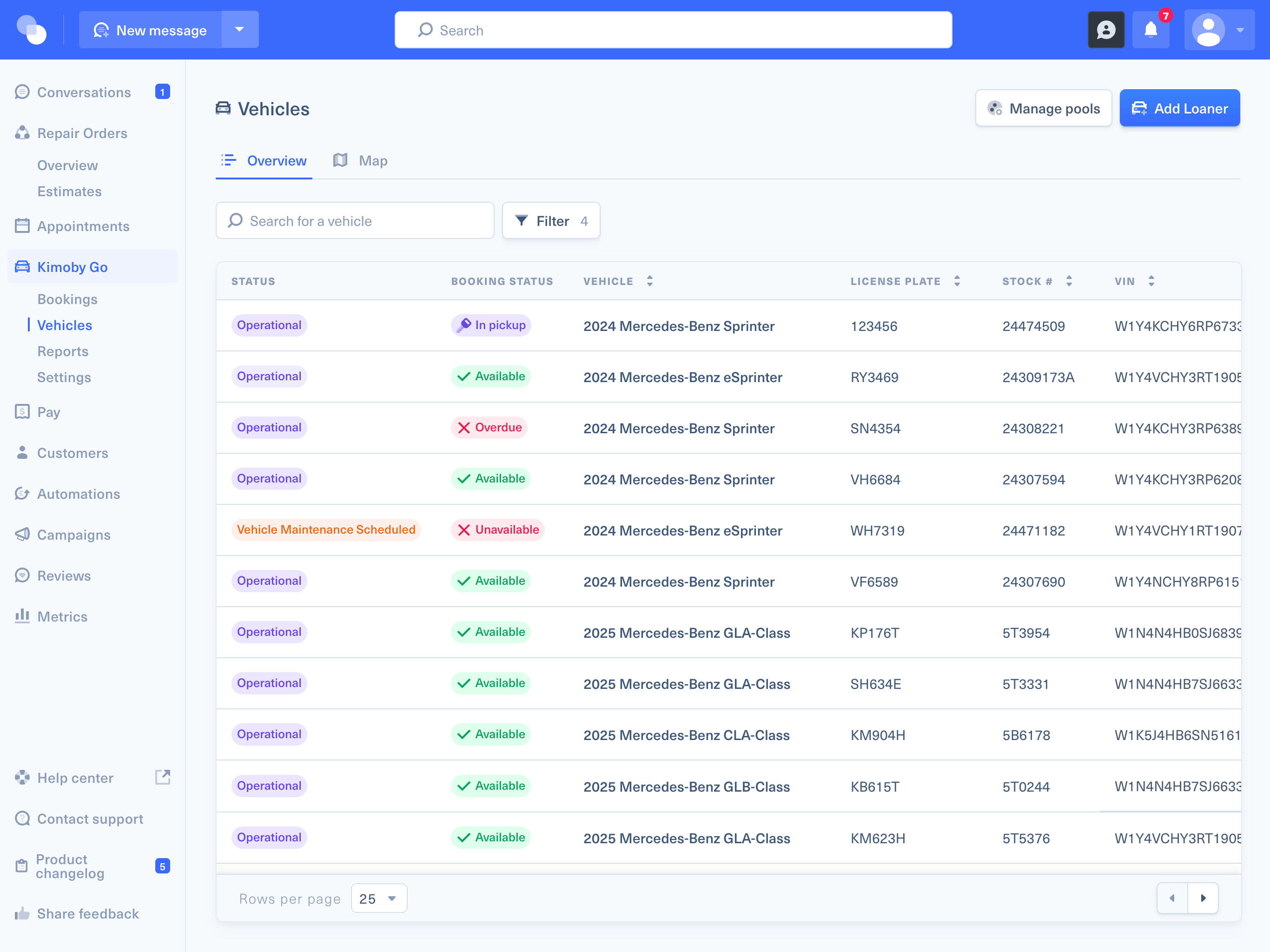
Rental fleet managed in Kimoby Go
With Kimoby

Before Kimoby

  • Paper agreement and a photocopy of the license, 20 minutes a check-out
  • Mileage and fuel written down by hand, when someone remembers
  • "That scratch was already there"
  • Fuel and tolls you end up paying
  • A whiteboard to know which car is where

With Kimoby

  • License scanned, agreement signed, about 5 minutes
  • Mileage, fuel and location read off the car
  • Check-out photos settle it
  • Fees go on the card on file at return
  • Every car on one calendar and one map

Kimoby Go in numbers

These come from dealership fleets. We don't have rental-company numbers to share yet.

Over 108,000

bookings managed on Kimoby Go.
5,616

fleet vehicles tracked and counting.

+65.7%

Go adoption growth in nine months.

$688.75
recovered in week one
9.8/10
onboarding satisfaction
Under 5 min
per check-out, down from 15 to 20 on paper
We streamlined our processes, recovered fees and costs, and most importantly, elevated the customer experience.
Francesco A. Policaro Francesco A. Policaro VP of Operations, Policaro Group
Also connects to dealership DMSs
CDK Reynolds & Reynolds PBS Tekion Keyloop Serti Dealer Vu Quorum

Who pays for the missing fuel?

On paper, usually you. The customer says it was full, nobody wrote it down, and you let it go. With Kimoby Go, the car reports fuel and mileage at check-out and at return, and the photos show what changed. The difference goes on the card on file.

  • Fuel and mileage read off the car
  • Photos behind every damage charge
  • The customer ticks a box to accept the fees before signing
  • Tolls and tickets added to the booking

Why rental fleets move to Kimoby Go

Get the fees back

Fuel, tolls, extra mileage and damage go on the card on file. That used to come out of your pocket.

Know where every car is

A live map, trip history and an alert if a car leaves your area. No need to call the customer.

One screen for the fleet

Who has each car, when it's due back and where it is right now.

How does Kimoby Go track vehicles?

Two ways, so every vehicle in your fleet is covered, whatever the make.

OEM over-the-air

Direct OTA connectivity

Live vehicle data straight from the manufacturer, with no hardware to install, for:

Mercedes-Benz BMW Toyota Lexus
Any make, any model

Plug-in OBD2 device

A plug-and-play OBD2 device reports mileage, fuel, and location on any vehicle. Universal coverage regardless of brand.

Some manufacturers block third-party connectivity, so OEM eligibility is confirmed per brand and region. The OBD2 device is the universal fallback that works everywhere.

Want to see it with your own cars?

Book a short demo. We'll walk through one rental, from the reservation to the receipt.

Book a demo

Month-to-month. No long-term contract.

What is rental fleet management software?

Quick answer: rental fleet management software replaces the paper agreement and the whiteboard. It handles the reservation, the agreement, the tracking while the car is out, and the fees when it comes back.

With Kimoby Go, the customer signs on a tablet or their phone and the car reports its own mileage, fuel and location. At return, fuel, tolls and damage go on the card on file, with photos to back them.

One thing to know. Kimoby Go was built for dealership loaner fleets first. Rental agreements and receipts have been in it from the start, and rental fleets use the same tool. If something's missing for your counter, tell us. We'll tell you straight whether it fits.

How a rental works on it

  1. You book a car on the calendar.
  2. The customer scans their license and the agreement fills itself.
  3. They accept the fees and sign. Check-out takes about 5 minutes.
  4. The car reports mileage, fuel and location while it's out.
  5. At return, you compare the photos and charge the card on file. The customer gets a receipt.
Rental fleet management software FAQ

What is the best rental fleet management software?

One that handles the whole rental in one place: the reservation, the agreement, tracking while the car is out, and the fees at return. If you need three tools for that, someone ends up copying between them. With Kimoby Go, it's one tool, with your logo on the agreement.

Can I track my rental cars in real time?

Yes. The car reports its mileage, fuel and location, through the manufacturer's connection or an OBD2 device you plug in. You see every car on a map and where it's been. If a car leaves the area you set, you get an alert.

Do I need hardware to track my rental cars?

Depends on the car. Mercedes-Benz, BMW, Toyota and Lexus can report through the manufacturer's connection, with nothing to install, depending on the region. Everything else gets a small OBD2 device that plugs in.

Can customers sign the rental agreement before they arrive?

Yes. Ahead of time or at your counter, whatever works for you. They tick a box to accept the fees, then sign on a tablet or their phone.

Can I put my company's brand on the rental agreement?

Yes. Your logo, company name and address, with your own header and footer. English, French or both. You can also set a different agreement for each vehicle pool.

How do customers pay for fuel, tolls and damage?

With Kimoby Pay. Add the fuel, the toll or the damage to the booking and it goes on the card on file. The customer gets a receipt. They can also pay from a link sent by text.

Is Kimoby Go only for dealerships?

No. It was built for dealership loaner fleets first, and rental agreements and receipts have been in it from the start. If something's missing for your counter, tell us and we'll tell you straight.

Can I use Kimoby Go without the rest of Kimoby?

Yes. Go works on its own. You don't need Service Lane OS.